The AI-Powered MIDI Editor
Compose • Edit • Transform • Play - with an intelligent copilot that understands music.
✨ Features
Everything you need for MIDI editing - plus an AI that actually helps.
MidiPilot AI Copilot
27 AI tools, live Agent streaming, provider model refresh, favourites, and natural language MIDI editing. Compose, harmonize, fix, and refine - just ask.
MCP Server

Drive the editor from Claude Desktop, VS Code or Cursor: the built-in MCP server exposes the same tools MidiPilot uses - list and switch documents, query and edit events, FFXIV tools included - over the Model Context Protocol.
Tabs & Editor Groups
Keep several MIDI files open as tabs and edit two side by side in independent editor groups. Drag tabs between groups, compare with synced scroll, zoom and cursor, and each document keeps its own selection and view.
Real-time Collaboration
Co-edit MIDI files live with up to 8 peers over LAN or WAN, peer-to-peer over WebRTC + DTLS. Async PR workflow with smart-paste tokens, optional Discord webhook for sharing, and a 6-second Connection Test diagnostic.
Score & Tab Import
Open Guitar Pro (GP1-GP8), MusicXML (.musicxml / .xml / .mxl), and MuseScore (.mscz / .mscx) files directly - auto-converted to MIDI on open.
FFXIV Bard Mode
One-click FFXIV channel fixer for MidiBard2 - deterministic algorithm, no AI needed. Guitar variant switching, range clamping, validation.
FFXIV Voice Limiter
A live analyser for FFXIV bard performances: a toolbar gauge and a voice-load lane show where your arrangement would exceed the game's 16-voice ceiling and be silently degraded - so you can spot and fix hot-spots before you upload.
Auto-Fit Voice Load
The action to the analysis: thins overloaded moments and over-dense passages - whole song, one range, or exactly the notes you selected. Per-track intensity, live preview, dry-run first, one undo step. Works on any MIDI file.
FFXIV Drum Split & Kit Editor
One click turns a GM drum track into named FFXIV percussion tracks, with pitch-mapping kits for instantly playable drums. Build your own kits by duplicating any kit and editing its mappings - with an audio A/B that plays the GM drum and its FFXIV target back to back.
FluidSynth & SoundFonts
Built-in FluidSynth synthesizer with multi-SoundFont stacking and per-font gain - high-quality General MIDI playback right inside the editor.
Audio Export
Render your MIDI to WAV, FLAC, OGG, or MP3 (bundled LAME encoder) through the current SoundFont stack - full song or a custom range, with reverb-tail capture and per-channel solo.
7 Themes & MIDI Visualizer
MidiEditor AI brand, Dark, Light, Classic, Sakura, AMOLED, Material Dark, plus Follow-OS auto-switch. 10 color presets for note bars. Real-time MIDI visualizer for playback.
Lyric Editor & Visualizer
Full lyric timeline with drag, resize, split & merge. Tap-to-sync dialog, SRT/LRC/text import, and a karaoke toolbar widget with real-time color sweep.
Professional Piano Roll
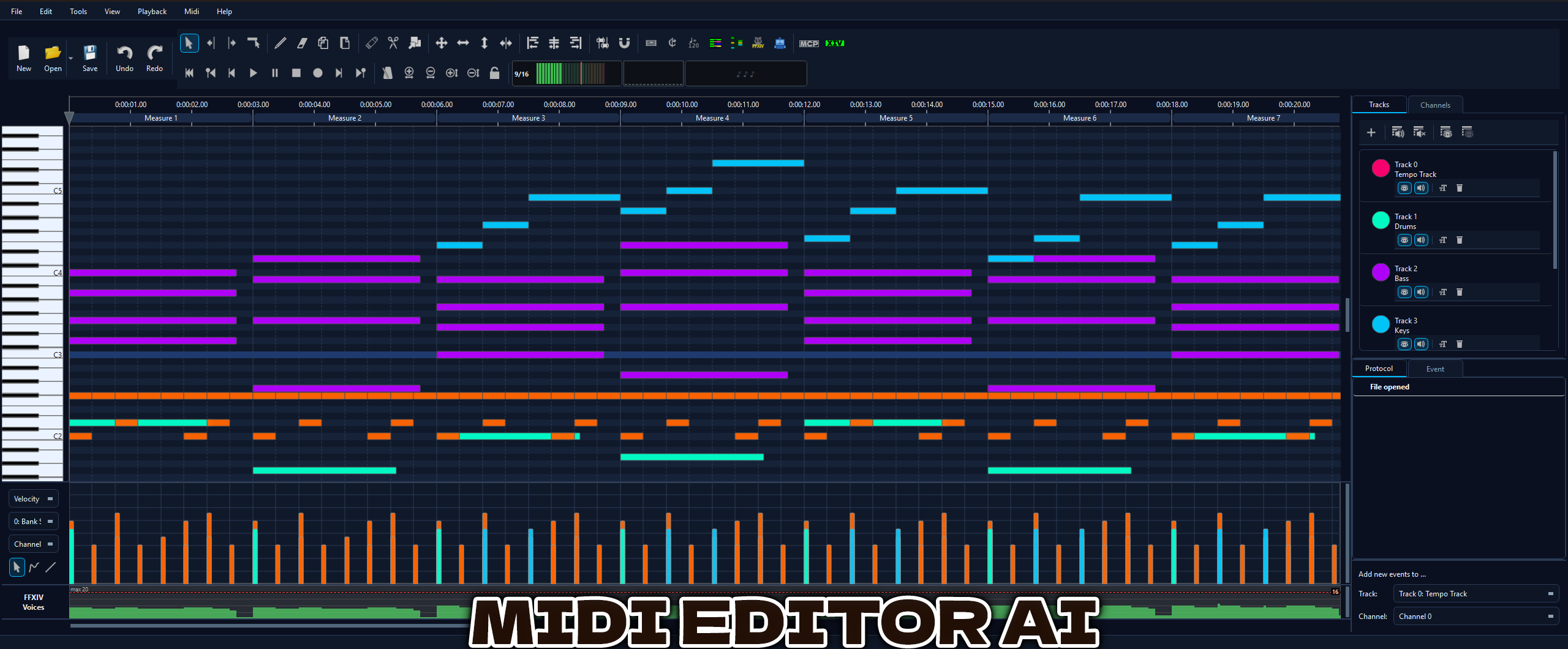
Full-featured piano-roll editor with velocity/CC editing, quantization, copy/paste, recording, multi-track support, and smooth playback scrolling.
Editing Tools & Channel Splitter
Split multi-channel MIDI files into one track per channel with GM names, explode chords, delete overlapping notes, convert pitch bends to discrete notes, plus markers for Program Changes / CC / text events and C3-C6 octave guides.
Commodore 64 / SID
Open .sid tunes as editable MIDI, then hear them authentically:
play the converted MIDI through a C64 SoundFont, or the original SID through the
cycle-accurate libsidplayfp engine. A retro SF2/EMU toolbar switch flips between them.
Convert Tempo, Preserve Duration
Re-target a MIDI from one BPM to another while keeping the real-time playback length identical - one atomic, undoable action with Replace / Scale / Events-only modes.
📷 Showcase
See MidiEditor AI in action.
🎨 Theme Preview
7 built-in themes - click to preview.
🆕 What’s New
v2.5.3 - October 2026
Audio export with any MIDI output, zoom out to the whole song
- Export Audio works with every MIDI output - with Microsoft GS Wavetable Synth, VirtualMIDISynth or a hardware synth selected for playback, the Export button used to stay greyed out. The export now always renders with the built-in FluidSynth and the SoundFonts from Settings → Midi I/O; the selected output only plays live. Add the SoundFonts your other synth uses, and the export sounds like it.
- Exported audio ends with the song - the 2-second reverb tail was rendered eight times as long, so every export carried many seconds of silence at the end. It is 2 seconds now.
- Zoom out to the whole song - zooming out used to stop at about two minutes in view; it now goes on until the whole song fits, and the measure numbers thin out so the ruler stays readable.
- Zoom to fit - Ctrl+Shift+F, View → Zoom, or a right-click on the measure ruler shows the whole song and the range of its notes in one step.
⚖️ MidiEditor AI vs. Original
| Feature | Original MidiEditor | AI Edition |
|---|---|---|
| AI Copilot (MidiPilot) | ✖ | ✔ |
| Guitar Pro Import (GP1-GP8) | ✖ | ✔ |
| FFXIV Bard Mode | ✖ | ✔ |
| FluidSynth Playback | ✖ | ✔ |
| Audio Export (WAV/FLAC/MP3) | ✖ | ✔ |
| Themes | 1 | 7 |
| Note Color Presets | ✖ | 10 |
| MIDI Visualizer | ✖ | ✔ |
| SoundFont Management | ✖ | ✔ |
| Chord Detection | ✖ | ✔ |
| Split Channels to Tracks | ✖ | ✔ |
| Explode Chords to Tracks | ✖ | ✔ |
| FFXIV Drum Split (GM kit → bard percussion tracks) | ✖ | ✔ |
| Delete Overlaps Tool | ✖ | ✔ |
| Glue Notes Tool | ✖ | ✔ |
| Strum Tool | ✖ | ✔ |
| Convert Pitch Bend to Notes | ✖ | ✔ |
| Context Menu (Move Track/Channel/Transpose) | ✖ | ✔ |
| Octave Transpose | ✖ | ✔ |
| Lyric Editor & Visualizer | ✖ | ✔ |
| MCP Server (AI Tool Protocol) | ✖ | ✔ |
| Real-time Collaboration (LAN / WAN / PR / Discord) | ✖ | ✔ |
| Commodore 64 / SID Import & Playback | ✖ | ✔ |
| MusicXML Export | ✖ | ✔ |
| Cursor Time Display | ✖ | ✔ |
⬇ Download
Free & open source. Windows 10/11.
Portable ZIP - extract & run. No installer needed. · Download details · All releases